
Squarespace Review 2026: Best for Design-Focused Websites?
Squarespace does not have a permanent free plan, but its 14-day trial gives you full access to test the platform before committing. The templates are among the best in the industry, the editor feels modern and capable, and the feature set covers everything from blogging to ecommerce without needing plugins. It is a premium product with a premium price, but you can at least see what you are getting before paying. We tested it through the trial and found it to be one of the more polished builders available.
Overview
Squarespace launched in 2004 as a blog hosting service and has since evolved into one of the most recognized website building platforms in the world. It occupies a unique position in the market: a fully hosted, all-in-one platform that prioritizes visual design above all else. Where other builders give you maximum freedom and then leave you to figure out how to make things look good, Squarespace starts with professional-grade aesthetics and works outward from there.
All-in-One Platform
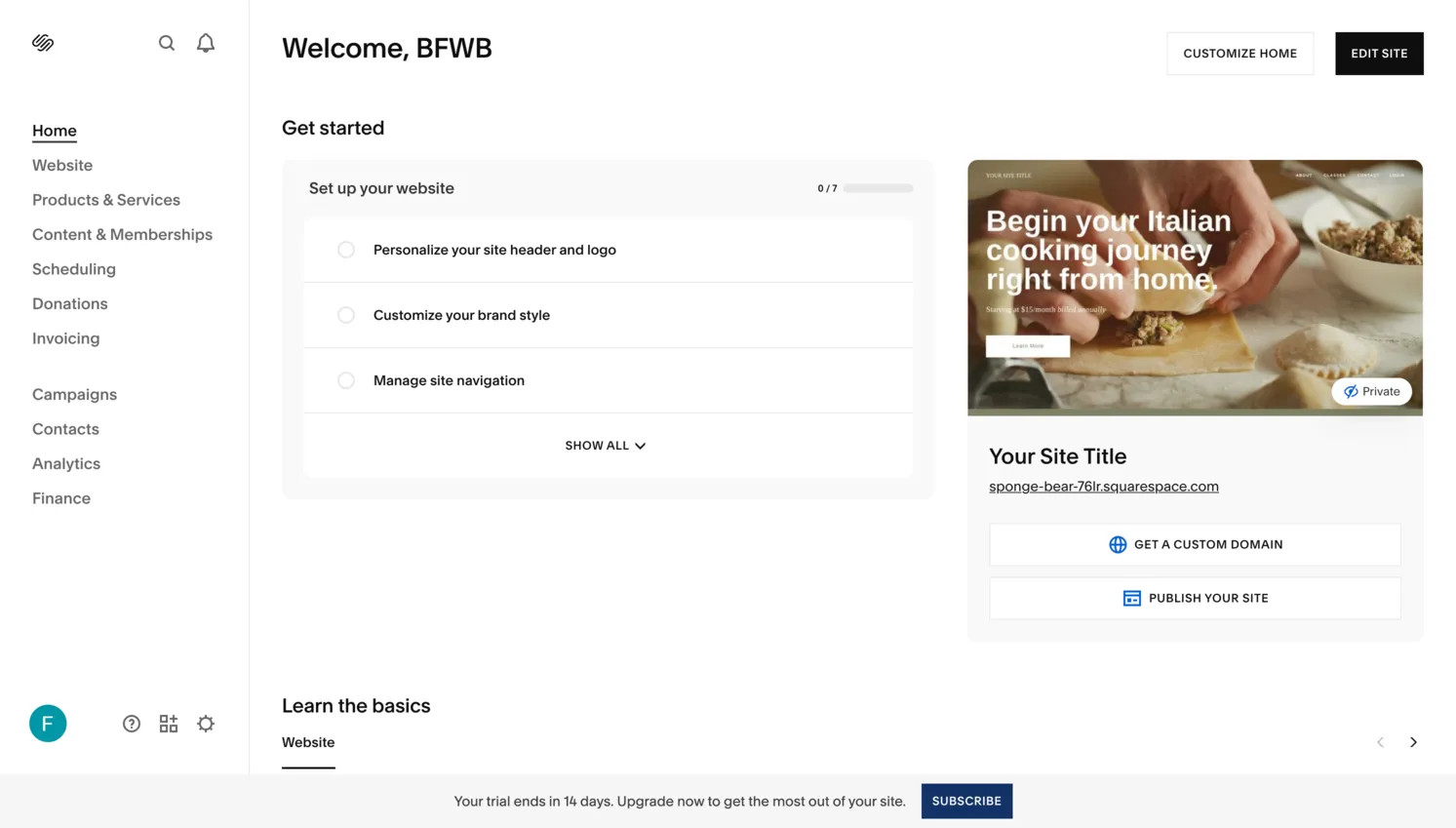
The platform includes everything you need to build and maintain a website: hosting, domain management, SSL certificates, templates, a content management system, ecommerce tools, email marketing, and analytics. You do not need to install plugins, manage updates, or worry about server configuration. This all-in-one approach is both its greatest strength and a trade-off, since you are working within the boundaries Squarespace defines rather than extending the platform with third-party tools.
No Free Plan
It is worth being upfront: Squarespace does not offer a free plan. While competitors like Wix and WordPress.com all provide permanently free tiers (with restrictions), Squarespace only gives you a 14-day free trial. After that, the cheapest option is the Basic plan at $16 per month (billed annually). This means Squarespace is not the right choice if you are looking for a zero-cost solution.
Free Trial
Squarespace provides a 14-day free trial that requires no credit card to start. During the trial you get full access to the platform, including all templates, the Fluid Engine editor, ecommerce features, blogging tools, and analytics. You can build your entire website during the trial period, experiment with different designs, add content, and test every feature. The only restriction is that your site will not be publicly accessible on a custom domain until you subscribe to a paid plan.
After the Trial Ends
When the 14-day trial expires, your site is deactivated but not deleted. Squarespace retains your work for a limited period, giving you time to decide whether to subscribe. If you do upgrade, everything you built during the trial carries over smoothly. This is generous enough for most users to make an informed decision, though if you are building a complex site, 14 days can feel tight. There is no way to extend the trial, and Squarespace does not offer a freemium tier like its competitors. Once the trial ends, you must pay or lose access.
Ease of Use
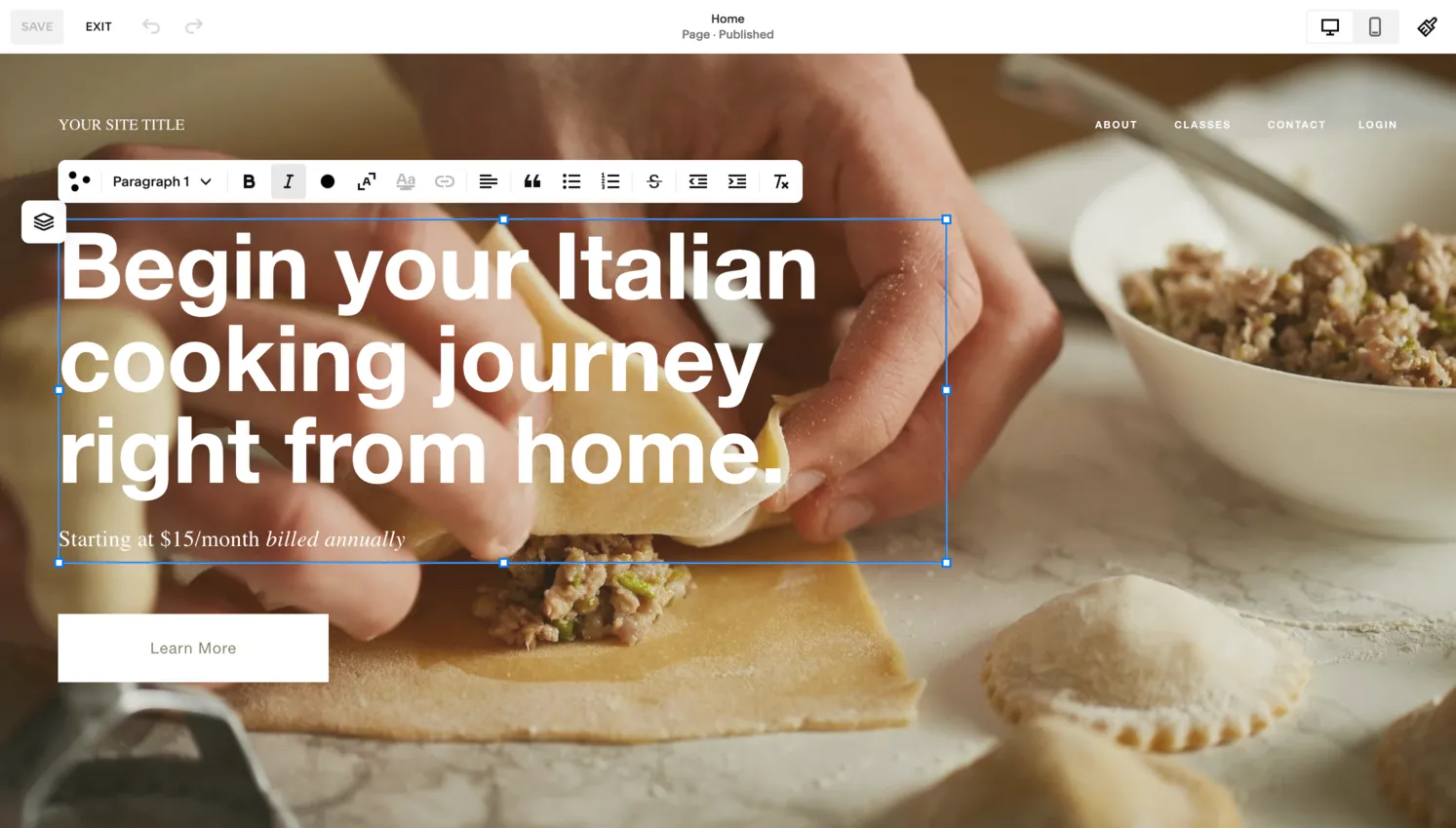
Squarespace takes a more structured approach to website editing than platforms like Wix. Rather than placing elements freely anywhere on a canvas, you work within a section-based system. Pages are composed of stacked sections, and within each section you use the Fluid Engine to arrange content blocks on a grid. This system ensures that your layouts remain visually consistent and responsive across devices, but it does require a conceptual adjustment if you are accustomed to fully freeform editors.
The Fluid Engine
The Fluid Engine, introduced in 2022, was a major upgrade to the editing experience. It replaced the older block-based editor with a true drag-and-drop grid system that lets you resize and overlap elements, create columns of varying widths, and position content with precision. The result is far more layout flexibility than Squarespace previously offered, though it still does not match the absolute freedom of Wix's editor. For most users, the tradeoff is worthwhile. You get enough flexibility for creative layouts while the underlying grid prevents you from creating designs that break on mobile.
The Learning Curve
There is a learning curve. Squarespace's interface is sleek and minimal, but new users sometimes struggle to locate specific settings or understand the section-and-block hierarchy. Actions like adjusting mobile-specific layouts, configuring site-wide styles, or managing blog categories require navigating through multiple panels. Once you internalize the structure (typically after a few hours of active exploration) the editor becomes natural. But the initial experience is not as instantly accessible as Wix or SITE123, and Trustpilot reviewers also report confusion with settings and site management, particularly after the Google Domains migration.
Design & Templates
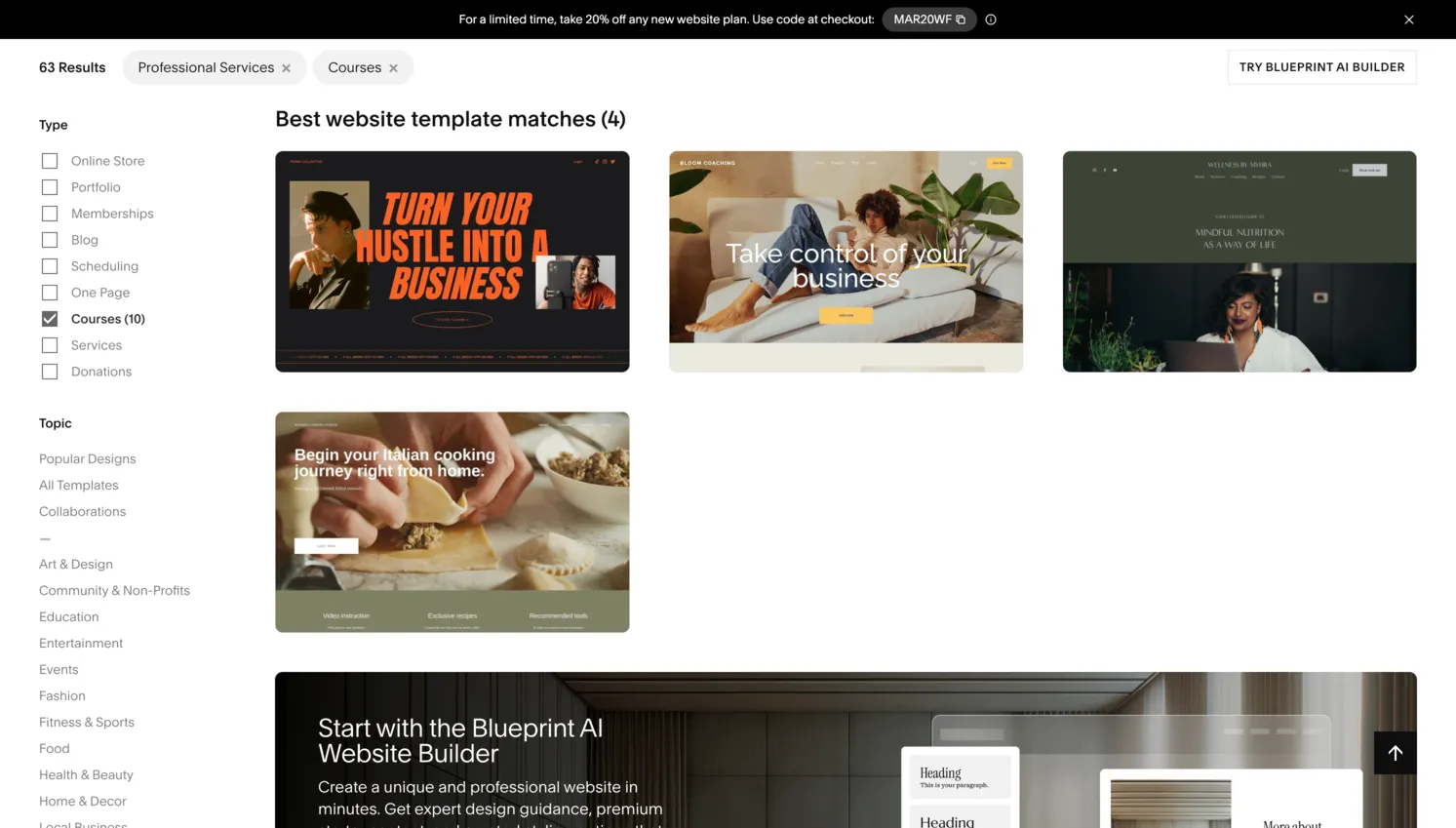
This is where Squarespace truly delivers, and it is the primary reason most users choose the platform. Squarespace offers over 150 professionally designed templates, and every single one of them looks like it was crafted by a high-end design agency. The templates span categories including portfolios, restaurants, online stores, blogs, podcasts, weddings, and professional services. Each template is fully responsive, loads quickly, and features tasteful typography, generous whitespace, and cohesive color palettes.
Consistent Quality
Unlike some competitors where template quality varies wildly, Squarespace maintains a remarkably consistent standard. Even the simplest templates feel intentional and refined. The platform's design system includes curated font pairings, global color themes, and spacing controls that let you customize your site's appearance without accidentally creating something that looks unprofessional. For creative professionals (photographers, artists, designers, architects, and musicians) Squarespace templates are often the deciding factor.
Layout Control with the Fluid Engine
The Fluid Engine amplifies this advantage by giving you layout control that approaches custom web design. You can create asymmetric layouts, overlap images and text, build multi-column sections with unequal widths, and fine-tune spacing at the pixel level. Squarespace also provides a robust design panel where you can control global styles (fonts, colors, button styles, animation effects, and more) ensuring that changes propagate consistently across your entire site. Squarespace's design quality remains a genuine competitive advantage, though some Trustpilot users report formatting inconsistencies and content layout issues after platform updates.
Features
Squarespace packs a wide-ranging feature set into its platform. The blogging engine is one of the best among website builders, supporting scheduled posts, categories, tags, multi-author workflows, AMP pages, and built-in commenting with moderation tools. Content creators will appreciate the podcast hosting integration, video background sections, and image galleries with multiple layout options including grid, slideshow, masonry, and carousel formats.
Built-In Business Tools
The platform also includes appointment scheduling (powered by Acuity Scheduling, which Squarespace acquired), member areas for gated content, email marketing campaigns, and social media integration for Instagram, Facebook, and Pinterest. Restaurant-specific features like online ordering (through a Tock integration) and menu pages demonstrate how Squarespace has invested in vertical-specific solutions. The built-in analytics dashboard tracks traffic, popular content, referral sources, geography, and sales data without requiring Google Analytics, though you can add GA4 if you want more depth.
Extensibility Limitations
Where Squarespace falls short on features is extensibility. The platform has a relatively limited app marketplace compared to Wix or WordPress. If you need a specific integration that Squarespace does not support natively (say, a particular CRM, an advanced form builder, or a niche marketing tool) your options are limited to code injection or third-party embed workarounds. For most standard website needs the built-in feature set is more than sufficient, but power users who rely on specific tools may find the closed platform restrictive.
SEO Tools
Squarespace provides a dependable foundation for search engine optimization. Every page and blog post allows you to customize the SEO title, meta description, and URL slug. The platform automatically generates clean, human-readable URLs, creates XML sitemaps, and provides free SSL certificates for all sites. Squarespace also handles basic technical SEO well: pages render with proper heading hierarchy, images support alt text, and the platform generates structured data (schema markup) for products, blog posts, and events.
SEO Checklist and Social Controls
The built-in SEO checklist walks beginners through the fundamentals: connecting to Google Search Console, setting up page descriptions, adding alt text to images, and enabling AMP for blog posts. Squarespace also includes social sharing image and description controls (Open Graph and Twitter Card metadata) so your pages look sharp when shared on social media. The platform's hosting infrastructure delivers reliable uptime and reasonable page load speeds, though sites heavy with high-resolution images may need manual optimization.
Advanced SEO Limitations
One downside is the lack of advanced SEO tools that WordPress users take for granted, such as custom schema markup injection, granular redirect management (you can add redirects but the interface is basic), or plugins like Yoast or Rank Math that provide real-time optimization feedback. Squarespace also does not let you edit the robots.txt file or add custom HTTP headers without using developer-level code injection. For most small business and portfolio sites, the built-in SEO tools are more than adequate, but content-heavy sites pursuing aggressive SEO strategies may find the ceiling limiting.
Ecommerce
Squarespace has invested in ecommerce, though the pricing has become more expensive. The Basic plan ($16/month) includes ecommerce but charges a 2% transaction fee on sales. The Core plan ($23/month) removes transaction fees and adds full ecommerce functionality with unlimited products, variants, inventory management, and discount codes. However, reaching feature parity with dedicated ecommerce platforms requires the Plus plan at $39/month or the Advanced plan at $99/month, which is significantly more expensive than alternatives like Shopify.
Commerce Advanced Features
The Advanced plan ($99/month) adds abandoned cart recovery, real-time carrier-calculated shipping rates, advanced discounting, and commerce APIs. Product pages benefit from Squarespace's design quality: image-heavy layouts with zoom and related product suggestions look professional. Squarespace processes payments through Stripe and PayPal, supports subscriptions, and handles US tax calculation. For visually-driven products (art, fashion, handmade goods), the design quality is a genuine advantage. However, the $99/month price tag for advanced features makes it hard to recommend over Shopify ($39/month) for serious ecommerce operations.
Pros and Cons
Pros
- High-quality templates that maintain consistent design standards
- Fluid Engine editor provides good layout control within a structured grid
- Built-in ecommerce, blogging, scheduling, and analytics without plugins
- All-in-one platform: hosting, SSL, domain management included
- Free custom domain for the first year on annual plans
- Good blogging tools with scheduling and multi-author support
Cons
- No permanent free plan, only a 14-day trial, making it unsuitable for budget users
- Customer support consistently criticized on Trustpilot: account lockouts, ignored tickets, abrupt chat endings
- Pricing has increased: Advanced plan now costs $99/month, nearly double the previous top tier
- 2% transaction fee on the Basic plan for ecommerce sales
- Limited third-party integrations compared to WordPress or Wix
- Domain and email migration issues reported by multiple users after Google Domains acquisition
- No phone support; email and live chat quality is inconsistent
- Cannot switch templates without rebuilding content manually
Pricing
Squarespace offers four paid plans. All prices listed below reflect annual billing, which provides a significant discount over monthly billing. Every plan includes hosting, SSL, a free custom domain for the first year, and 24/7 customer support.
| Plan | Price (Annual) | Key Features |
|---|---|---|
| Basic | $16/mo | Unlimited pages, free custom domain, SSL, basic analytics, SEO tools, ecommerce with 2% transaction fee |
| Core | $23/mo | Everything in Basic plus no transaction fees, unlimited contributors, 5 hrs video hosting, professional email, CSS/JS customization |
| Plus | $39/mo | Everything in Core plus lower processing fees (2.7% + $0.30), advanced ecommerce tools, growing business features |
| Advanced | $99/mo | Everything in Plus plus lowest processing fees (2.5% + $0.30), abandoned cart recovery, advanced discounts, commerce APIs |
Squarespace's pricing has increased notably in recent years. At $16/month for the Basic plan (with a 2% ecommerce transaction fee), it is more expensive than free-tier builders and even some paid competitors. The jump to $99/month for Advanced is steep and positions Squarespace in premium territory. The Basic plan suits portfolios and blogs. The Core plan ($23/month) is the sweet spot for small businesses needing ecommerce without transaction fees. The Plus and Advanced plans are only justified for dedicated online stores with significant sales volume.
Final Verdict
Squarespace earns a 3.7 out of 5 in our review. It is one of the most complete website builders available. The templates are consistently well-designed, the Fluid Engine editor gives good layout control, and the built-in features (ecommerce, blogging, scheduling, analytics) mean you do not need third-party tools for most use cases. The 14-day trial lets you test everything before paying, which is more than Hostinger offers.
The Cost Factor
There is no permanent free plan. After the 14-day trial you need a paid subscription starting at $16/month. The Trustpilot score of 3.1/5 raises some concerns about customer support quality. Recent price increases (Advanced plan now $99/month) are also worth noting. If you need a free builder, Squarespace is not the answer.
Who Should Choose Squarespace
Squarespace is a good fit for photographers, designers, restaurants, small businesses, and anyone who values modern design and a complete feature set. The platform feels polished and professional throughout. If budget is your primary concern, look at Wix or Beste for free options. If you can afford the subscription, Squarespace is one of the better choices available.
Frequently Asked Questions
Is Squarespace really free?
Can I use my own domain name with Squarespace?
Is Squarespace good for SEO?
Can I sell products on Squarespace?
How does Squarespace compare to Wix?
Trustpilot Score
Based on 2,507 reviews on Trustpilot
Squarespace receives mixed-to-negative feedback on Trustpilot, with 59% of reviews being 1-star. The most frequent complaints involve account lockouts with tied domains generating revenue, email outages after the Google Domains migration, and customer support that ends chats abruptly or ignores tickets. Multiple users report direct revenue loss from service disruptions. Positive reviews praise the template quality and intuitive interface, but they are a minority. The pattern of support-related complaints is consistent and concerning for a premium, paid-only platform.
Read all reviews on TrustpilotOur Hands-On Experience
We used Squarespace's 14-day free trial to build a portfolio site for a fictional photography business. The templates were consistently well-designed, and the one we chose required minimal customization to look good.
The Fluid Engine editor worked well for arranging content. We created image grids, overlapping text on images, and multi-column sections without issues. Finding global style settings required navigating through a few panels, and mobile-specific layout adjustments took some time to figure out. The interface is capable but has a slight learning curve compared to simpler builders.
The blogging tools were solid — scheduled publishing, categories, featured images, and built-in analytics all worked as expected. SEO settings were straightforward to configure. The overall experience felt modern and polished. Squarespace is clearly a mature product that has been refined over many years.
The 14-day trial is enough to evaluate the platform, but it is tight for building a complete site. After the trial expires, your site is deactivated until you subscribe. For prices starting at $16/month, the Trustpilot complaints about support quality are worth keeping in mind. The product itself is good, but the after-sales experience may not always match.