Pagy Review 2026: Free Website Builder with Custom Domain Support
Pagy is a simple drag-and-drop website builder that takes a different path from the industry trend toward AI-generated sites. Built and maintained by a single developer, it offers something uncommon among free builders: custom domain support with free SSL on the free plan. However, with zero Trustpilot reviews and a very limited feature set, we tested every aspect of the platform to see whether it holds up in practice.
Overview
Pagy (pagy.co) is a website builder created by Hernán Sartorio, an independent developer who set out to build a clean, no-nonsense tool for creating web pages. In an industry increasingly dominated by AI-powered generators, complex feature matrices, and corporate-scale platforms, Pagy takes a deliberately different path. There is no AI writing your content, no algorithm choosing your layout, and no machine learning deciding what your site should look like. Instead, you get an easy, no-fuss drag-and-drop editor where every decision is yours.
A Human-Crafted Approach
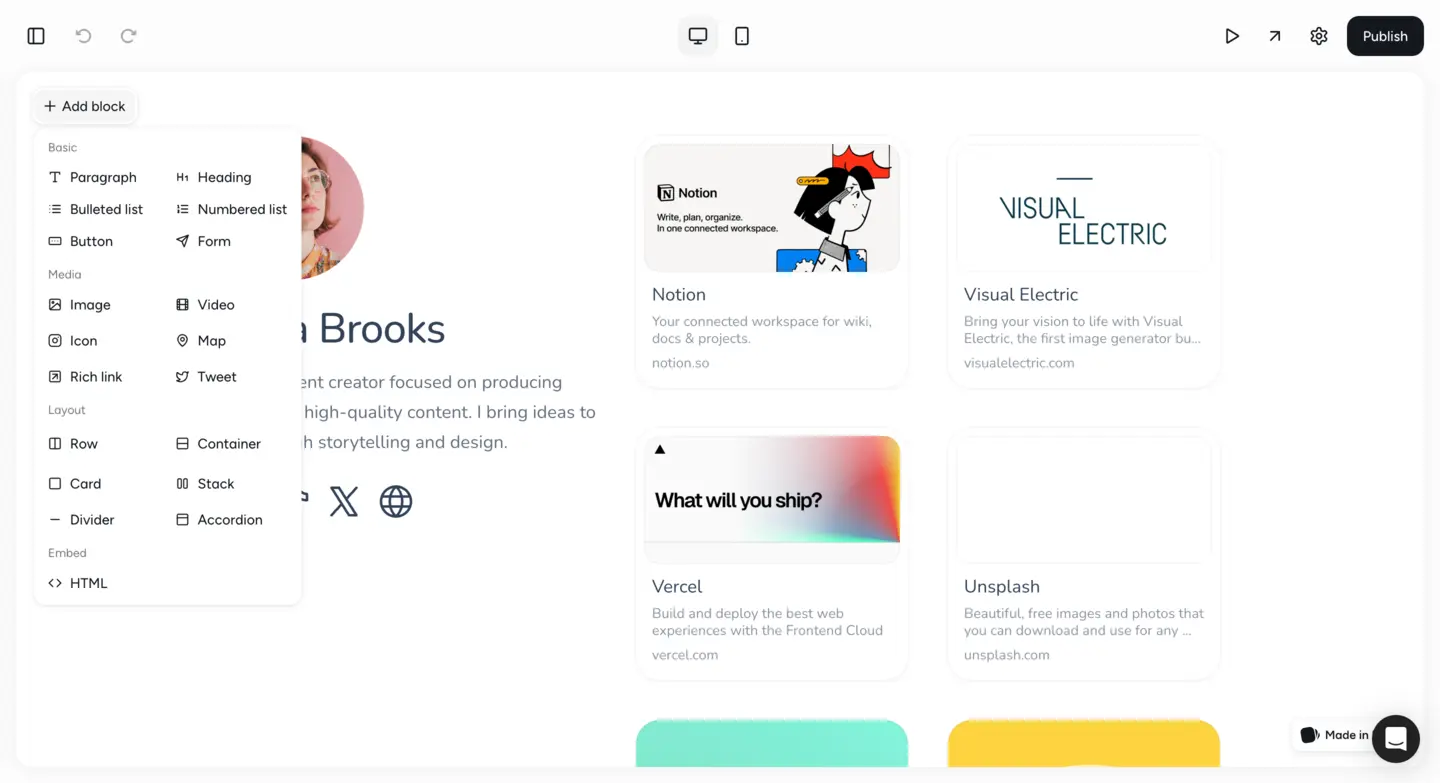
This philosophy of human-crafted simplicity extends to every corner of the platform. The building blocks are easy to pick up and tangible: cards, images, videos, forms, maps, embedded links, and tweets. You pick what you need, place it where you want it, and customize it to match your vision. There are no auto-generated suggestions, no template wizards, and no AI copilots nudging you toward choices you did not ask for. For users who prefer manual control over AI-assisted workflows, Pagy offers a more hands-on alternative.
The platform is designed for people who need a clean, focused web presence without the overhead of a full-scale website builder. Personal sites, portfolios, landing pages, company information pages, and link-in-bio pages are its sweet spot. Pagy will not replace Wix or Squarespace for complex projects, but it was never meant to. It is a sharp, purpose-built tool for a specific set of needs, and it executes on that vision with reasonable focus.
Pagy Free Plan
The headline feature of Pagy's free plan is custom domain support with a free SSL certificate. This is uncommon in the free website builder space. Platforms like Wix, Jimdo, and Strikingly all require you to upgrade to a paid plan before you can connect your own domain. With Pagy, you can point your domain to your free site and have it served over HTTPS at no cost. For anyone who already owns a domain and just needs a simple page hosted on it, this alone makes Pagy worth considering.
What the Free Plan Includes
- 1 page with full drag-and-drop editing
- 1 form for contact or email signups
- 1 collaborator (solo operation only)
- Option to publish on a pagy.site subdomain if you do not own a domain
The single-page limit is restrictive, but for the use cases Pagy targets (a landing page, a portfolio page, a link-in-bio page, or a simple company presence) one well-designed page is often all you need. The form allowance lets you add a contact form or an email signup, covering the most basic interactive element.
No Forced Branding
Another point in Pagy's favor: there is no Pagy branding forced onto your free site in the way that Wix or Jimdo stamp their logos on free-tier pages. Anyone who cares about presenting a clean, professional appearance will appreciate this detail. Teams or agencies looking for a collaborative workspace will need to upgrade, since the single-collaborator limit on the free plan means this is strictly a solo operation.
Ease of Use
Pagy's editor is refreshingly easy to pick up. The drag-and-drop interface works exactly as you would expect: select a building block from the sidebar, drag it onto your page, and customize it in place. There is no learning curve worth mentioning, no complex panel hierarchies to navigate, and no settings that require technical knowledge. If you have ever used a presentation tool like Google Slides or Canva, you will feel right at home in Pagy's editor within minutes.
Building Block Approach
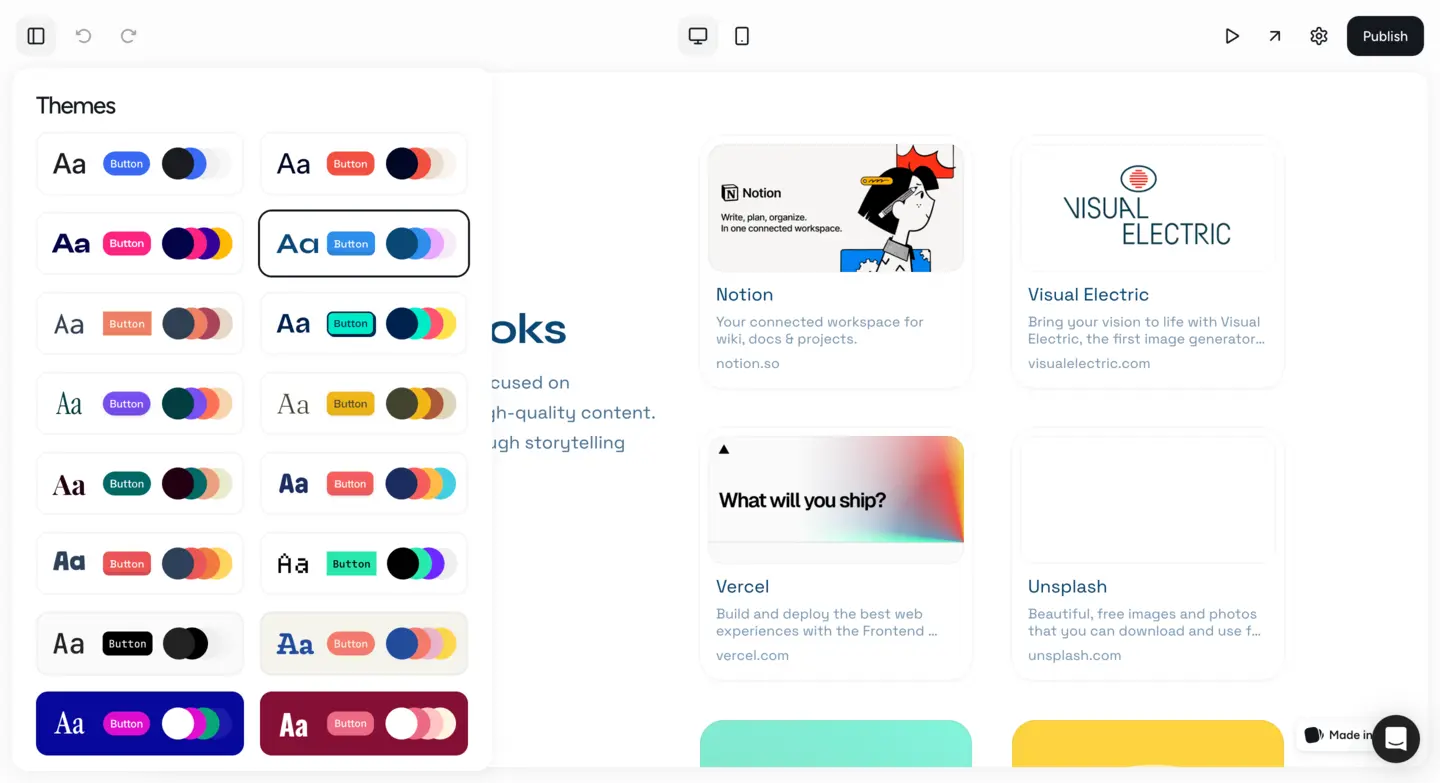
The building block approach keeps things organized and predictable. Each block (whether it is a text card, an image, a video embed, a map, or an icon) has a focused set of customization options. You are not overwhelmed with dozens of settings per element. Colors, sizes, spacing, and content are all adjustable through clean, uncomplicated controls. The result is an editing experience that feels fast and friction-free, which is exactly what you want when you just need to get a page online without spending hours fiddling with a complex tool.
No AI Distractions
The absence of AI in the workflow is, paradoxically, what makes Pagy feel so natural. There are no popups asking if you want an AI to rewrite your headline, no suggestion panels competing for your attention, and no automated layout changes happening while you work. You are in complete control from start to finish. For users who have felt overwhelmed or distracted by AI features in other builders, Pagy's focused, human-driven approach is a notable difference. The only downside is that you start with a blank canvas rather than a pre-built template, which means you need to have at least a rough idea of what you want before you begin.
Design & Templates
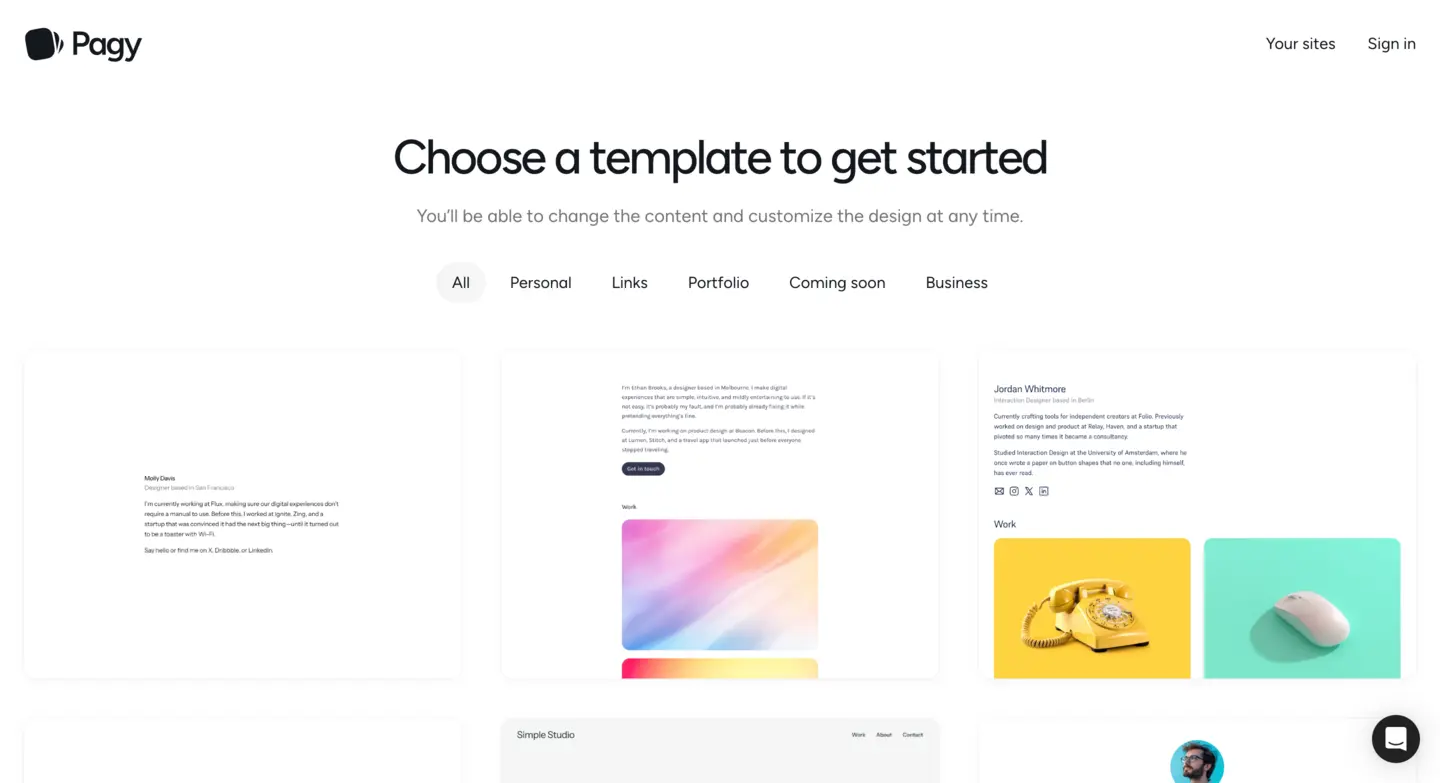
Pagy takes a building-block approach to design rather than a template-first approach. Instead of browsing a gallery of pre-made templates and swapping in your content, you construct your page from scratch using the available blocks. This gives you more creative freedom in one sense (you are not constrained to someone else's layout) but it also means there is no shortcut to a finished design. You need to make deliberate decisions about structure, spacing, and visual hierarchy from the ground up.
Available Building Blocks
The available building blocks cover the essentials well. Cards provide flexible containers for text and images. You can embed videos from YouTube or Vimeo, add maps for location-based pages, and embed external links and tweets for social proof. The customization options for each block are simple but effective: you can adjust colors, sizing, and arrangement to create a cohesive look. The designs that emerge from these blocks tend to be clean and modern, though they lack the visual sophistication that purpose-built templates from Squarespace or Wix can deliver.
No Template Library
The biggest gap is the absence of a proper template library. If you are not confident in your design abilities, starting from a blank page can be intimidating. Platforms like Wix offer hundreds of professionally designed templates that give you a strong starting point; Pagy asks you to be your own designer. For simple pages (a portfolio grid, a link-in-bio collection, a company landing page) this works fine because the layouts are simple. For anything more complex or visually ambitious, you may find the tools too basic. The design output depends heavily on your own taste and effort rather than the platform's guidance.
Features
Pagy's feature set is deliberately minimal. The platform provides the building blocks needed to compose a good-looking page (cards, images, videos, forms, maps, embedded links, tweets, and icons) and not much else. There is no blog module, no membership area, no booking system, no animation engine, and no app marketplace. If you need any of those features, Pagy is not the right tool. It is designed for static pages that present information clearly, not for dynamic, feature-rich websites.
Forms, Embeds, and Icons
The form builder, while limited to one form on the free plan, covers the most common use case: collecting contact information or email signups from visitors. You can customize form fields to gather the data you need, and submissions are delivered to your email. The embedded link and tweet blocks are useful for link-in-bio pages and social proof sections, allowing you to pull in external content without leaving the Pagy editor. The 3,000-plus icon library is a useful resource for adding visual variety without sourcing your own graphics.
Quality Over Quantity
What Pagy lacks in feature quantity, it makes up for in focus. Every feature that exists works reliably and is easy to use. There are no half-baked modules or features that feel like afterthoughts. The philosophy is clearly quality over quantity: give users a small set of well-executed tools and let them build something clean with those tools. For a one-page portfolio, landing page, or link-in-bio page, the feature set is sufficient. For anything more ambitious, you will need a more full-featured platform.
SEO Tools
SEO is not Pagy's strong suit. The platform provides the bare minimum for search engine visibility: your page gets a clean URL, the content is rendered in semantic HTML, and SSL is included by default on all plans (including free). The custom domain support on the free plan is actually a significant SEO advantage, since search engines treat custom domains more favorably than subdomains of a website builder platform. In that specific regard, Pagy gives you better SEO positioning for free than Wix or Jimdo do on their free plans.
What Is Missing
Beyond that, advanced SEO tools are largely absent. There are no built-in fields for customizing meta titles or meta descriptions per page, no sitemap generation tools, no structured data markup options, no canonical URL controls, and no redirect management. If you are building a simple landing page or portfolio that relies on direct traffic, social sharing, or link-in-bio referrals rather than organic search rankings, these gaps will not matter much. For projects where ranking on Google is important, Pagy's lack of SEO tooling is a real gap. You would be better served by Wix or WordPress.com for SEO-focused projects.
Ecommerce
Pagy does not offer any ecommerce functionality. There is no product listing feature, no shopping cart, no payment processing integration, and no order management system on any plan. This is not an oversight or a feature gap that might be filled later. It reflects the platform's intentional scope: Pagy is built for informational pages and personal web presences, not for selling products or services online.
If you need to sell anything online, even a single digital product, Pagy is not the right tool. You could potentially link out to an external payment processor like Gumroad or use an embedded link to a Stripe payment page, but there is no native integration to make that smooth. For ecommerce needs, consider Wix, Squarespace, or a dedicated platform like Shopify. The 2.5 score here reflects the complete absence of selling tools rather than a poorly executed implementation.
Pros and Cons
Pros
- Free plan includes custom domain support with free SSL, which is uncommon among free builders
- Straightforward drag-and-drop builder with no AI involvement, giving you direct control over layout decisions
- Human-only customer support from the solo creator, with no chatbots or automated responses
- Clean interface that beginners can pick up quickly without a steep learning curve
- A solid collection of building blocks for page composition including cards, forms, maps, and embeds
- Suitable for link-in-bio pages, personal sites, portfolios, and simple landing pages
Cons
- Free plan limited to just 1 page, 1 form, and 1 collaborator, which is restrictive for most projects
- One-person operation with limited support capacity and no guaranteed response times
- Zero Trustpilot reviews and no presence on major review platforms, making long-term reliability hard to assess
- No ecommerce functionality whatsoever on any plan
- Limited SEO tools with no meta description fields, sitemap generation, or structured data options
- No blog feature or content management system
- Smaller community and fewer resources compared to established builders like Wix or Squarespace
- Design customization options are simpler than what competitors offer, with no template library
Pagy Pricing
| Plan | Price | Pages | Key Features |
|---|---|---|---|
| Free | $0/mo | 1 | Custom domain with free SSL, 1 form, 1 collaborator, pagy.site subdomain |
| Starter | $10/mo per site | 10 | 2 forms, 2 collaborators, no branding, custom code injection, integrations |
| Pro | $20/mo per site | Unlimited | Unlimited forms, unlimited collaborators, no branding, custom code injection, integrations |
Pagy's pricing is straightforward with two paid tiers priced per site. Annual billing gives you 2 months free on either paid plan. The free plan's inclusion of custom domain support is a notable differentiator, though the single-page limit means most users with growing needs will need to upgrade. Each website you upgrade gets its own independent subscription, so costs can add up if you manage multiple sites.
Final Verdict
Pagy is not trying to compete with Wix, Squarespace, or WordPress on features. It occupies a narrow niche: clean, simple web pages with full creative control and no AI involvement. The free custom domain support is a genuine differentiator that most competitors do not offer at the free tier. The human-only support from a solo developer is a nice touch, though it comes with inherent capacity limitations.
The trade-offs are significant and should be weighed carefully. One page on the free plan is restrictive. There is no blog, no ecommerce, and no advanced SEO toolkit. The platform has zero reviews on Trustpilot or any major review site, which makes it difficult to gauge reliability over time. The one-person operation means support is personal but not scalable. If your project requires more than a single landing page or portfolio, Pagy will not be enough.
Our overall score of 3.7 out of 5 reflects a builder that serves its niche competently but is too limited for general-purpose website building and too new to have established a track record. Consider Pagy if you need a simple single page on your own domain and prefer a no-AI approach. Choose a more established platform if you need room to grow, third-party integrations, or the reassurance of a proven track record.
Frequently Asked Questions
Is Pagy really free?
Can I use my own domain name with Pagy's free plan?
Does Pagy use AI to build websites?
Who runs Pagy?
How does Pagy compare to Wix or Squarespace?
Trustpilot Score
0 reviews on Trustpilot
Pagy has no reviews on Trustpilot as of March 2026. The Trustpilot business profile for pagy.co exists but is unclaimed and has received zero ratings. This means there is no independent third-party user feedback available for the platform on any major review site. We were also unable to find reviews of Pagy on WebsiteBuilderExpert, Tooltester, SiteBuilderReport, or other established website builder comparison sites. While the builder functions well in our testing, the complete absence of external validation is something potential users should factor into their decision, particularly if they plan to rely on Pagy for a business-critical web presence.
View Pagy on TrustpilotOur Hands-On Experience
We tested Pagy across its free and paid plans, building a single-page portfolio site, a link-in-bio page, and a simple company landing page. The drag-and-drop editor lived up to its promise of simplicity, and we had our first page published quickly after exploring the building block library and customizing colors and spacing. The interface felt snappy throughout, with no noticeable lag or rendering issues during editing.
Connecting a custom domain on the free plan was straightforward. We pointed a test domain's DNS records to Pagy and had the site live with SSL after a short wait for DNS propagation. This is a genuine advantage over competitors that gate custom domains behind paid tiers. The pagy.site subdomain option also worked without any friction for quick test deployments. We tested the form builder and found it functional for basic contact forms, though the single-form limit on the free plan felt tight.
The building blocks covered the essentials well. Cards, images, video embeds, maps, and the icon library all worked as expected. We found the icon library genuinely useful for adding visual polish without sourcing external assets. However, the lack of a template library meant we had to design every layout from scratch, which slowed us down compared to builders that offer starting templates. The resulting pages looked clean and modern, but they required more design effort than platforms like Wix or Squarespace where you can start from a polished template.
Our main concerns center on the platform's maturity and scale. Support came from the solo developer, Hernan Sartorio, who was responsive during our test, but we could not assess how support holds up under heavier demand. There is no status page, no public uptime history, and no SLA. Combined with the zero Trustpilot reviews and the absence of coverage on any major review site, we would recommend Pagy primarily for personal projects, side pages, and low-stakes landing pages rather than business-critical websites where downtime or platform changes would have serious consequences.