Framer Review 2026: The Designer's Free Website Builder
Framer is a design-focused website builder that evolved from a prototyping tool popular with product designers. It prioritizes visual polish and smooth animations, with an editing experience closer to Figma than to traditional website builders. While the free plan includes CMS and up to 1,000 pages, it is limited to just 100MB of monthly bandwidth and 1,000 visitors, which restricts real-world use. We tested the platform to see if the design quality justifies the trade-offs.
Overview
Framer started life in 2013 as a code-based prototyping tool used by design teams at companies like Google, Facebook, and Spotify. Over the years, it underwent a radical transformation, shedding its code-first identity and rebranding as a visual website builder aimed at designers who want to ship production websites without handing off to developers. The result is a platform that feels fundamentally different from traditional website builders. Where Wix and Squarespace emphasize simplicity and pre-built blocks, Framer emphasizes creative control, motion design, and pixel-perfect layouts.
The Editing Experience
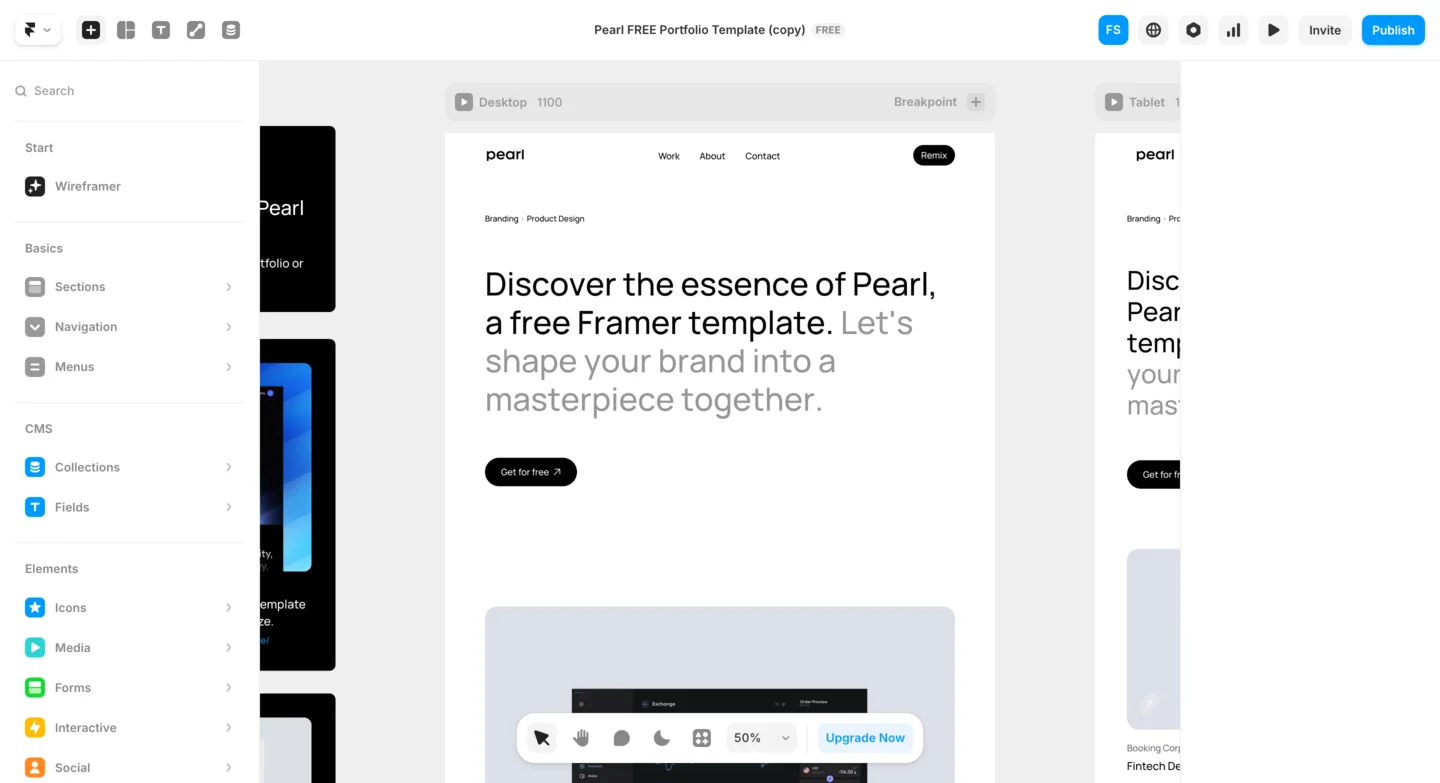
The editing experience is built around a freeform canvas. You place elements (text, images, buttons, containers) and arrange them using a combination of direct manipulation and layout tools like stacks, grids, and auto-layout. If you have used Figma, you will feel immediately at home. If you have not, expect a slightly steeper onboarding than what a traditional builder requires. The payoff is significant: Framer gives you the kind of design precision and animation capabilities that most builders simply cannot match.
Best Use Cases
Framer is especially well suited for landing pages, marketing websites, portfolios, startup homepages, and any project where visual impact and motion are priorities. It also handles blogs and content-driven sites through its built-in CMS. Where it falls short is ecommerce (there is no native online store functionality) and in the breadth of third-party integrations compared to more established platforms. For the right use case, though, Framer produces some of the most visually striking websites you will find from any builder at any price.
What Does the Free Plan Include?
Framer's free plan is generous in some areas but deceptively limited in others. Here is what you get at no cost:
- One site with up to 1,000 pages
- 10 CMS collections for blogs, portfolios, team directories, and more
- Localization support for publishing in multiple languages
- Full access to the editor, including animations, interactions, scroll effects, and responsive breakpoints
There is no feature gating on design capabilities, though bandwidth and visitor limits are strict.
What the Free Plan Limits
The limitations are more significant than they first appear. Your site is published on a framer.site subdomain with a "Made in Framer" banner. Bandwidth is capped at just 100MB per month, and there is a 1,000 visitors/month limit, which means even modest traffic can exceed your allocation. File uploads are capped at 5MB per file, restrictive for high-resolution images. You cannot connect a custom domain without upgrading. An unusual quirk: upgrading to Basic ($10/month) actually reduces your page limit from 1,000 to 30 and your CMS collections from 10 to 1, while adding a custom domain and removing branding.
Who Benefits Most from the Free Tier
Despite these constraints, the free plan is actually useful for real projects. A freelance designer can build and publish a portfolio. A startup can prototype and test a landing page with real visitors. A developer can ship a personal site or documentation page. The combination of CMS access, localization, and unlimited design features on the free tier makes Framer one of the more generous free offerings in the market, especially for users who prioritize design quality over raw feature breadth.
Ease of Use
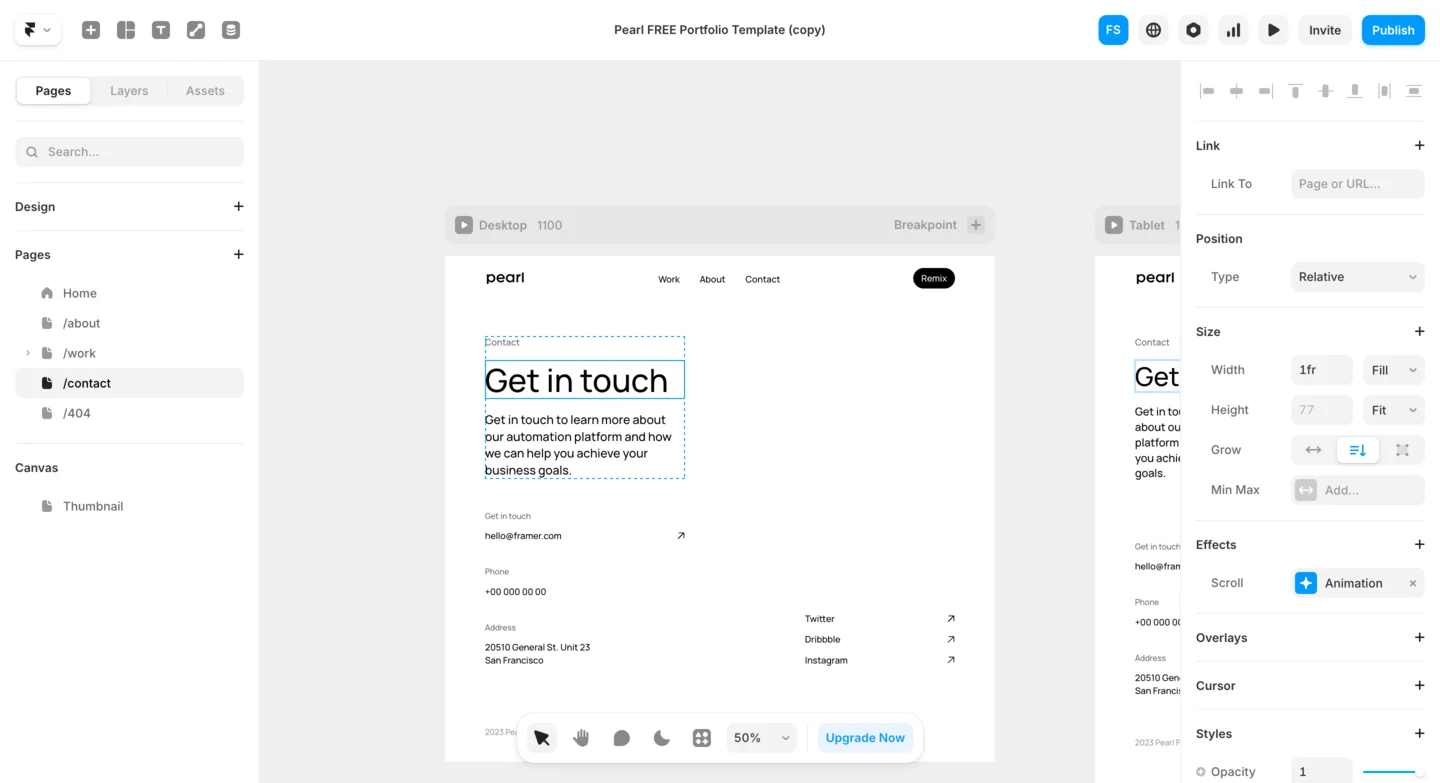
Framer's ease of use depends heavily on your background. If you are a designer who has spent time in Figma, Sketch, or Adobe XD, you will find Framer's canvas-based editor natural and fast. The mental model is the same: frames are containers, stacks control layout flow, auto-layout handles spacing and alignment, and breakpoints let you adapt designs for different screen sizes. Experienced designers often report being productive within their first hour.
For Beginners
For complete beginners with no design tool experience, the learning curve is steeper than what Wix or Squarespace demand. Framer does not offer a simple block-based editor where you just type text and drag pre-built widgets into place. Instead, you work with layers, frames, and layout properties. Concepts like relative versus fixed positioning, stack direction, padding versus gap, and responsive overrides per breakpoint require some initial learning. Framer provides helpful documentation and an active YouTube channel with tutorials, but expect to invest a few hours before you are comfortable building confidently.
Design-to-Publish Workflow
Where Framer truly delivers on usability is the design-to-publish workflow. There is no separate preview mode to check; what you see on the canvas is essentially what gets published. Changes deploy instantly when you hit publish. The CMS is integrated directly into the editor, so you manage content alongside design without switching tools. And the component system (which lets you create reusable elements with variants and overrides) saves enormous time on larger projects. The overall experience is fast and smooth once you cross the initial learning threshold.
Design & Templates
Design is Framer's strongest area. The platform gives you creative freedom with precise control over positioning, sizing, styling, and animations. Typography controls are granular, and color management supports variables and themes for consistency. However, some Trustpilot users describe the platform as more "limited in design capabilities" than expected, particularly when trying to achieve specific layouts outside of the template patterns Framer is optimized for.
Templates and Pre-Built Sections
Framer's template library is smaller than what you will find on Wix or Squarespace, but the quality is exceptional. Templates are modern, tastefully designed, and optimized for motion. Many include scroll-triggered animations, hover effects, and smooth page transitions that would require custom JavaScript on other platforms. Beyond full-page templates, Framer offers a library of pre-built sections and components: hero blocks, feature grids, testimonial carousels, pricing tables, and footer layouts that you can mix and match to assemble a page quickly. The community also contributes free and paid templates through the Framer marketplace, expanding the available options.
The Animation System
The animation system deserves special attention. Framer makes it remarkably easy to add entrance animations, scroll-based effects, hover interactions, and page transitions. You configure these visually by selecting an animation type, adjusting duration and easing curves, and previewing the result in real time. There is no timeline editor or keyframe complexity. For most use cases, the built-in presets are enough. For advanced scenarios, you can create component variants with different visual states and animate transitions between them. The result is that Framer sites routinely look more dynamic and engaging than sites built on competing platforms, with significantly less effort.
Features
The CMS
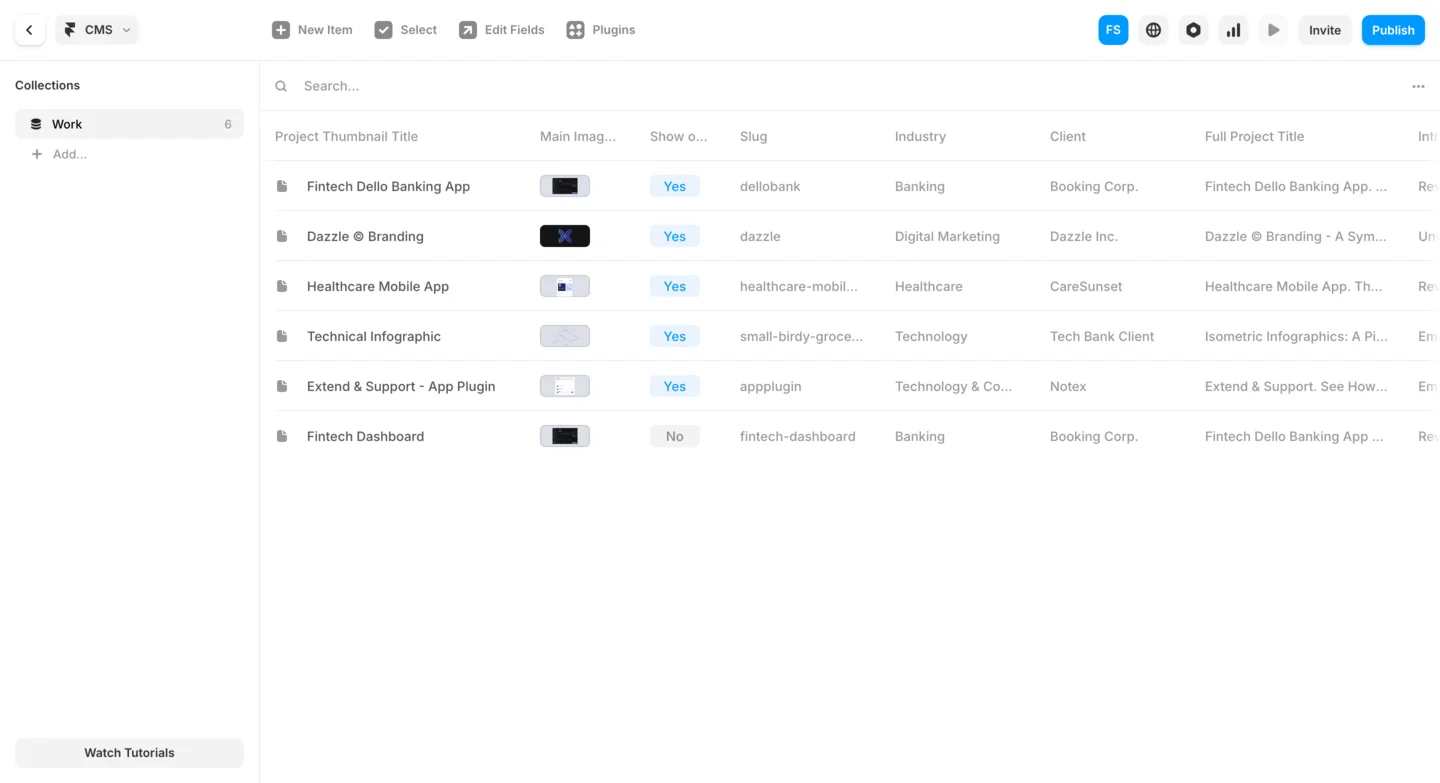
Framer packs a strong set of features for a design-focused builder. The built-in CMS is flexible and visual. You create collections (such as blog posts, projects, or team members), define fields (text, images, dates, rich text, references), and then build dynamic pages that pull content from those collections. Filtering, sorting, and pagination are all configurable within the editor. The CMS feels more modern and lean than what Squarespace offers, though it lacks the raw depth of WordPress or Webflow's content management.
Localization
Localization is a key strength, available even on the free plan. You can add multiple languages to your project, and Framer generates separate pages for each locale with proper hreflang tags for SEO. Translation is managed inline: you switch the language in the editor and update text directly on the canvas. This is significantly easier than the multi-site or plugin-based localization approaches used by most competitors. For anyone targeting an international audience, this feature alone makes Framer worth considering.
Custom Code and Integrations
Framer also supports custom code components written in React, which opens up possibilities for developers. You can build interactive widgets, embed third-party services, or create complex UI elements that go beyond what the visual editor provides. Forms are handled through integrations; Framer does not include a native form builder on par with Wix, but you can connect to services like Formspree, Tally, or Typeform with embed codes. Analytics, chat widgets, and marketing pixels are added through a custom code injection panel. The integration toolkit is growing but still thinner than what Wix or WordPress offer through their plugin marketplaces.
SEO Tools
Framer takes a technically sound approach to SEO. Published sites are statically generated, which means pages load as fast, pre-rendered HTML rather than being constructed on the fly by JavaScript. This is a significant advantage: search engines can crawl and index Framer sites easily, and Core Web Vitals scores tend to be excellent. The platform automatically generates clean, semantic HTML, optimizes images with modern formats and lazy loading, and serves sites through a global CDN with edge caching. In our testing, Framer sites consistently scored above 90 on Google PageSpeed Insights.
On-Page SEO Controls
On-page SEO controls are thorough. Every page allows you to set a custom title tag, meta description, URL slug, and Open Graph image for social sharing. Alt text can be added to all images. Framer automatically generates an XML sitemap and robots.txt file. For CMS-driven pages, SEO fields can be configured per collection item, so each blog post or portfolio piece gets its own optimized metadata. The localization feature produces proper hreflang annotations, which is essential for international SEO.
Room for Improvement
Where Framer could improve is in guided SEO tooling. Unlike Wix with its SEO Wizard or WordPress with plugins like Yoast, Framer does not provide a step-by-step optimization workflow or content analysis that tells you whether your page is well-optimized for a target keyword. The tools are there, but you need to know what to do with them. Experienced marketers and SEO practitioners will appreciate the clean technical foundation. Beginners who need hand-holding through the SEO process may find the experience less guided than what competitors provide.
Ecommerce
Ecommerce is Framer's most significant weakness. The platform does not include any native online store functionality. There are no built-in product listings, shopping carts, checkout flows, inventory management, order processing, or payment gateway integrations. If you want to sell physical products, digital downloads, or subscriptions directly on your Framer site, you need to rely entirely on third-party services.
Third-Party Workarounds
The most common workarounds include:
- Embedding Shopify Buy Buttons for individual product purchase options
- Using Gumroad or Lemon Squeezy for digital product sales
- Linking to a Stripe Payment Link for one-off payments
- Embedding a Snipcart checkout for lightweight store functionality
These integrations work and can be styled to match your site, but the experience is fragmented compared to the smooth, all-in-one store that Wix, Squarespace, or Shopify provide.
If your primary goal is to run an online store, Framer is not the right tool. However, if you are building a marketing site or portfolio that occasionally needs to accept payments (say, a freelancer selling a course or a startup collecting pre-orders), the third-party integration approach is workable. The low ecommerce score reflects the absence of native store features rather than any flaw in the platform's core design. Framer is simply built for different use cases.
Pros and Cons
Pros
- Strong visual design quality with smooth animations and scroll-based effects built in
- Figma-like editing experience that feels natural for users coming from design tools
- Built-in CMS with collections, dynamic pages, and localization support on the free plan
- Fast published sites thanks to static generation and CDN hosting
- Free plan allows 1,000 pages and 10 CMS collections, generous for prototyping and portfolios
- Competitive entry-level pricing at $10/month for the Basic plan
Cons
- Free plan limited to 100MB bandwidth and 1,000 visitors/month, insufficient for real traffic
- Confusing pricing: upgrading to Basic reduces pages from 1,000 to 30 and CMS collections from 10 to 1
- No native ecommerce at all: you need third-party integrations for any selling
- Steeper learning curve than traditional builders, especially for non-designers
- Customer support consistently described as unresponsive on Trustpilot (1.8/5 rating)
- GDPR compliance concerns raised by European users
- 5MB file upload limit on the free plan is very restrictive for images
- Fewer templates than competitors like Wix or Squarespace, and some reported as broken
Pricing
Framer offers a free plan alongside four paid tiers. Here is a breakdown of the current pricing structure:
| Plan | Price | Sites | Key Features |
|---|---|---|---|
| Free | $0 | 1 | 1,000 pages, 10 CMS collections, 5MB uploads, 100MB bandwidth, 1K visitors/mo, framer.site subdomain |
| Basic | $10/mo | 1 | Custom domain, no banner, 30 pages, 1 CMS collection, 10GB bandwidth |
| Pro | $30/mo | 1 | For professionals, small teams, and startups: advanced features and higher limits |
| Scale | $100/mo | 1 | For growing companies: extended CMS, higher traffic, team collaboration |
| Enterprise | Custom | Custom | Custom pricing, dedicated support, advanced security and compliance |
Framer's pricing is competitive, especially at the entry level. The $10/month Basic plan is one of the most affordable ways to get a custom domain and remove platform branding from any builder. The Pro plan at $30/month is positioned for freelancers and small teams who need more CMS capacity, higher file upload limits, and collaboration features. The jump to $100/month for the Scale plan is significant and aimed at companies with high-traffic sites and larger content operations. Annual billing is available at a discount. For most individual users and small projects, the Basic or Pro plan provides the best value.
Verdict
Framer occupies a distinctive niche in the website builder market, focused on design quality, motion, and creative workflow. For designers familiar with Figma, the editing experience is genuinely appealing. However, the platform's Trustpilot rating of 1.8/5 reflects real frustrations: unresponsive customer support, confusing pricing that penalizes you when upgrading, GDPR concerns for European users, and a free plan that is generous in page count but severely limited in bandwidth and traffic.
Framer is a great fit for: designers and design-savvy users who want pixel-perfect control, startups building high-impact landing pages, freelancers creating eye-catching portfolios, developers comfortable with React who want to extend the platform, and anyone who values animation and visual storytelling in their web presence. If you have experience with Figma or similar design tools, Framer will feel like a natural extension of your workflow.
Framer is less suited for: complete beginners who want a guided, block-based building experience, anyone who needs a native online store with product management and checkout, businesses that require extensive third-party integrations and plugins, and users who prioritize phone-based customer support. If you need a more all-purpose platform, Wix or Squarespace will serve you better.
With a score of 3.4 out of 5, Framer is a capable tool for its target audience but comes with caveats. The free plan is useful for prototyping and portfolios but the 100MB bandwidth and 1,000 visitor limits make it impractical for anything with real traffic. The counterintuitive downgrade when moving to Basic (fewer pages, fewer CMS collections) is a red flag. If you are a designer who values animation quality and can work within the constraints, Framer is worth trying. For everyone else, more established builders offer a better balance of features, support, and pricing transparency.
Frequently Asked Questions
Is Framer really free to use?
Is Framer good for beginners?
Can I sell products with Framer?
How does Framer compare to Webflow?
Does Framer support blogging and CMS content?
Trustpilot Score
Based on 100 reviews on Trustpilot
Framer has a very low Trustpilot score, with 72% of reviews being 1-star. The most common complaints are unresponsive customer support, hidden costs for features like multi-language support and collaborators, GDPR non-compliance concerns raised by European users, and a strict no-refund policy. Some users also report broken templates that go unfixed for months. Positive reviews (15% 5-star) come primarily from experienced designers who value the animation capabilities and were able to ship sites quickly. The low review count (100) means the sample is small but the pattern of complaints is consistent.
Read all reviews on TrustpilotOur Hands-On Experience
We built a portfolio site on Framer's free plan. If you are coming from Figma, the editor feels immediately familiar: frames, auto-layout, and component variants work almost identically. We had a presentable single-page portfolio with scroll animations and hover effects in a relatively short time. The animation system is genuinely one of the smoothest among the builders we looked at.
However, the experience was not without frustrations. We tried adding a second language using the localization feature and discovered that on the free plan, you only get one locale. The documentation was unclear about this until we hit the paywall. The 5MB file upload limit forced us to aggressively compress every image, and even then, our portfolio images did not look as crisp as we wanted. We also tested the CMS by creating a blog collection, which worked well, but the 100MB monthly bandwidth concerned us. With image-heavy portfolio pages, a few hundred visitors could easily exhaust that allocation.
The most confusing moment came when we explored upgrading. The Basic plan at $10/month would give us a custom domain but cut our pages from 1,000 to 30 and our CMS collections from 10 to 1. This felt counterintuitive and poorly communicated. Trustpilot complaints about support responsiveness are also a concern for users who may need help.
Framer's static generation approach clearly pays off for performance, and published sites are known for scoring well on Google PageSpeed Insights. But the gap between "build for free" and "host a real site people can visit" is wider than Framer's marketing suggests.